
Editing Customer Preferences Under Events in Suites Manager APP
This guide will provide the necessary steps to take when editing a customer’s preferences for a specific event.
After signing into the SMA, you will be brought to the Events page (seen below).
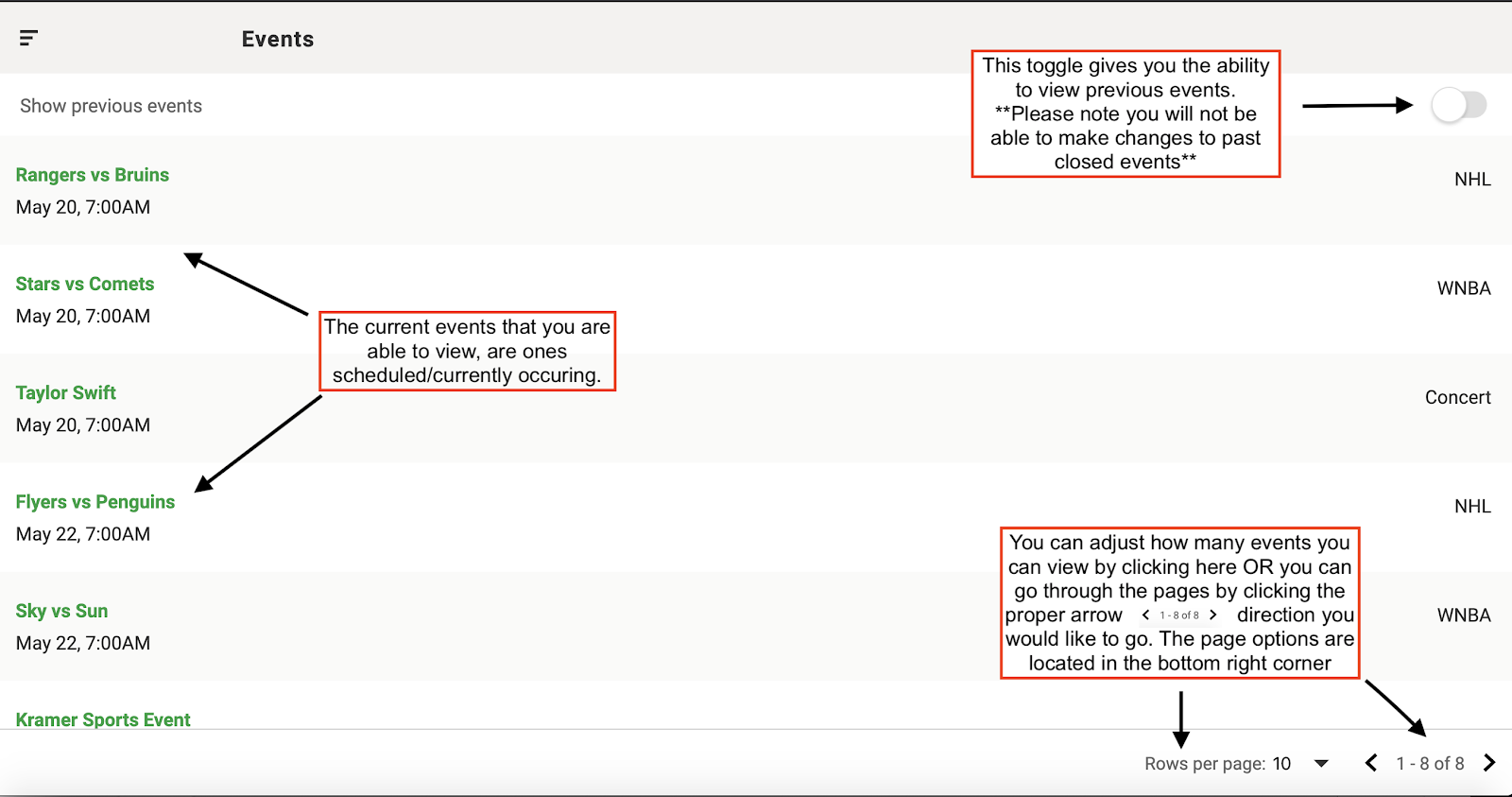
Step 1:
Deselect the toggle to show previous events and select the event which the customer is attending (see example below).
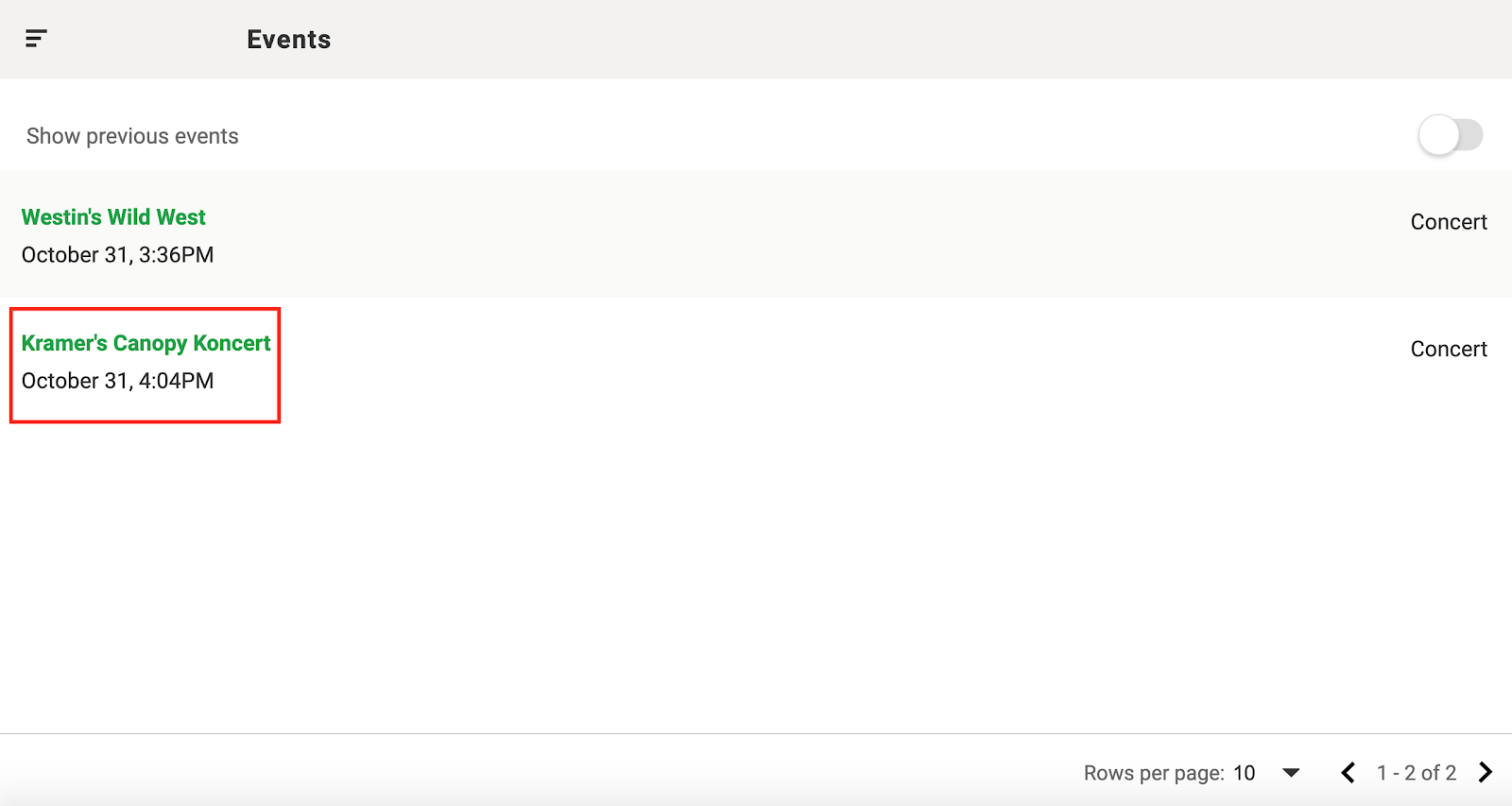
Step 2:
Switch the Attendant/Customer toggle so that “Customer” is green (as seen below).

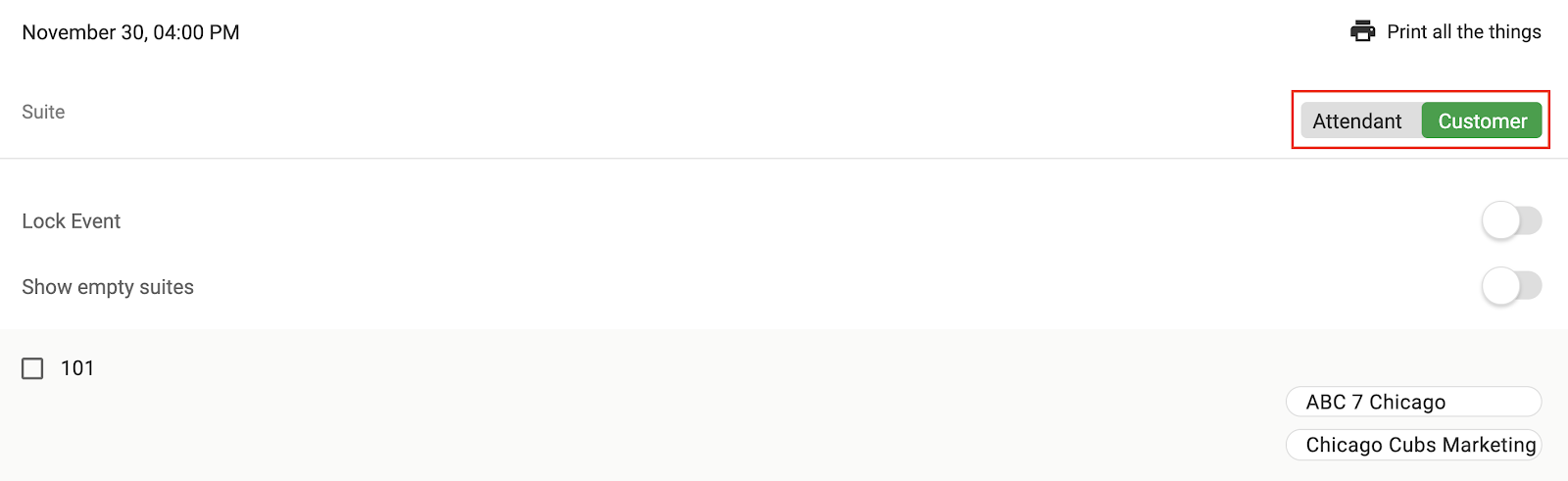
Step 3:
Select the customer by clicking on their name that you wish to edit (example below).
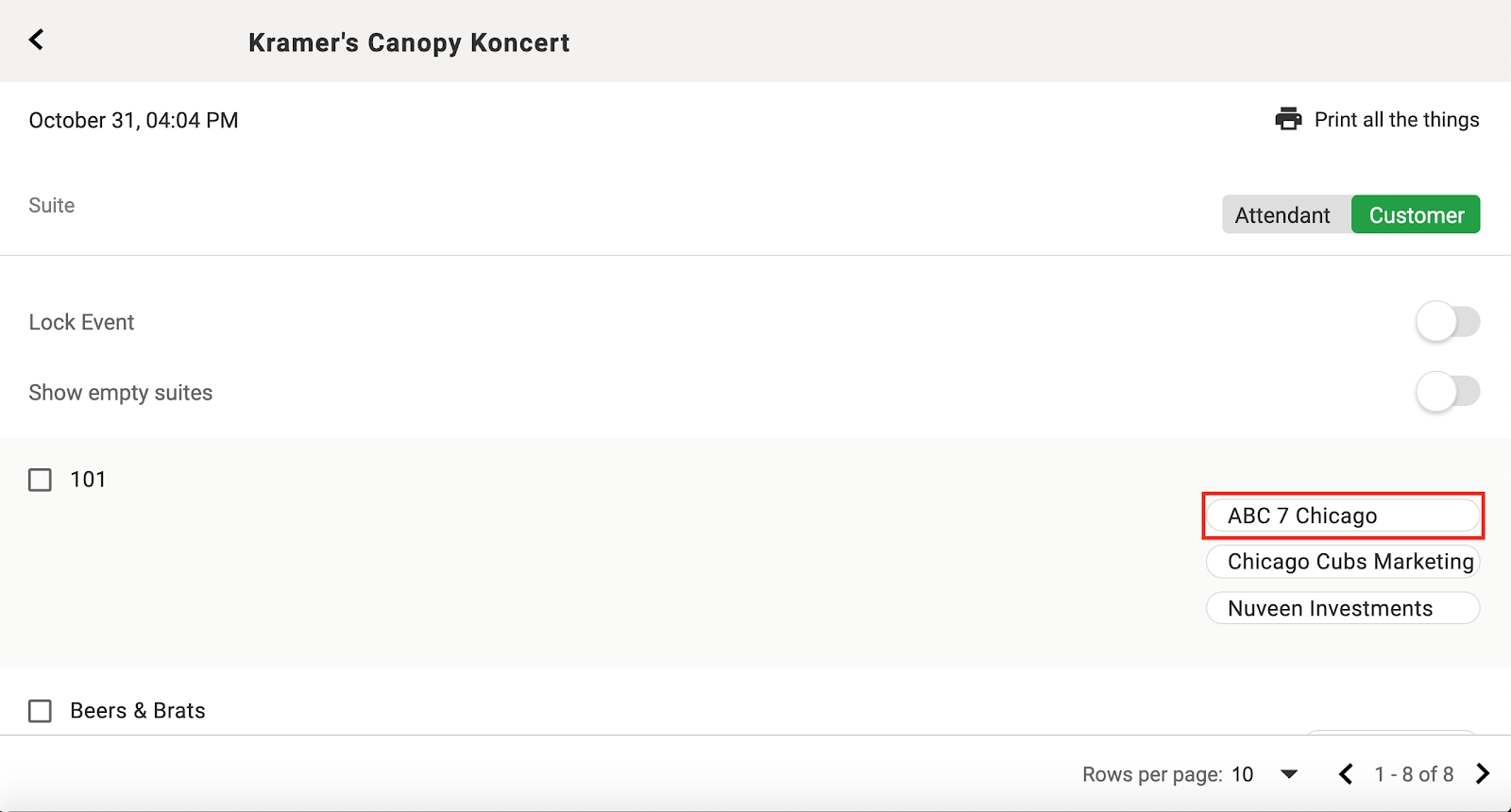
Step 4:
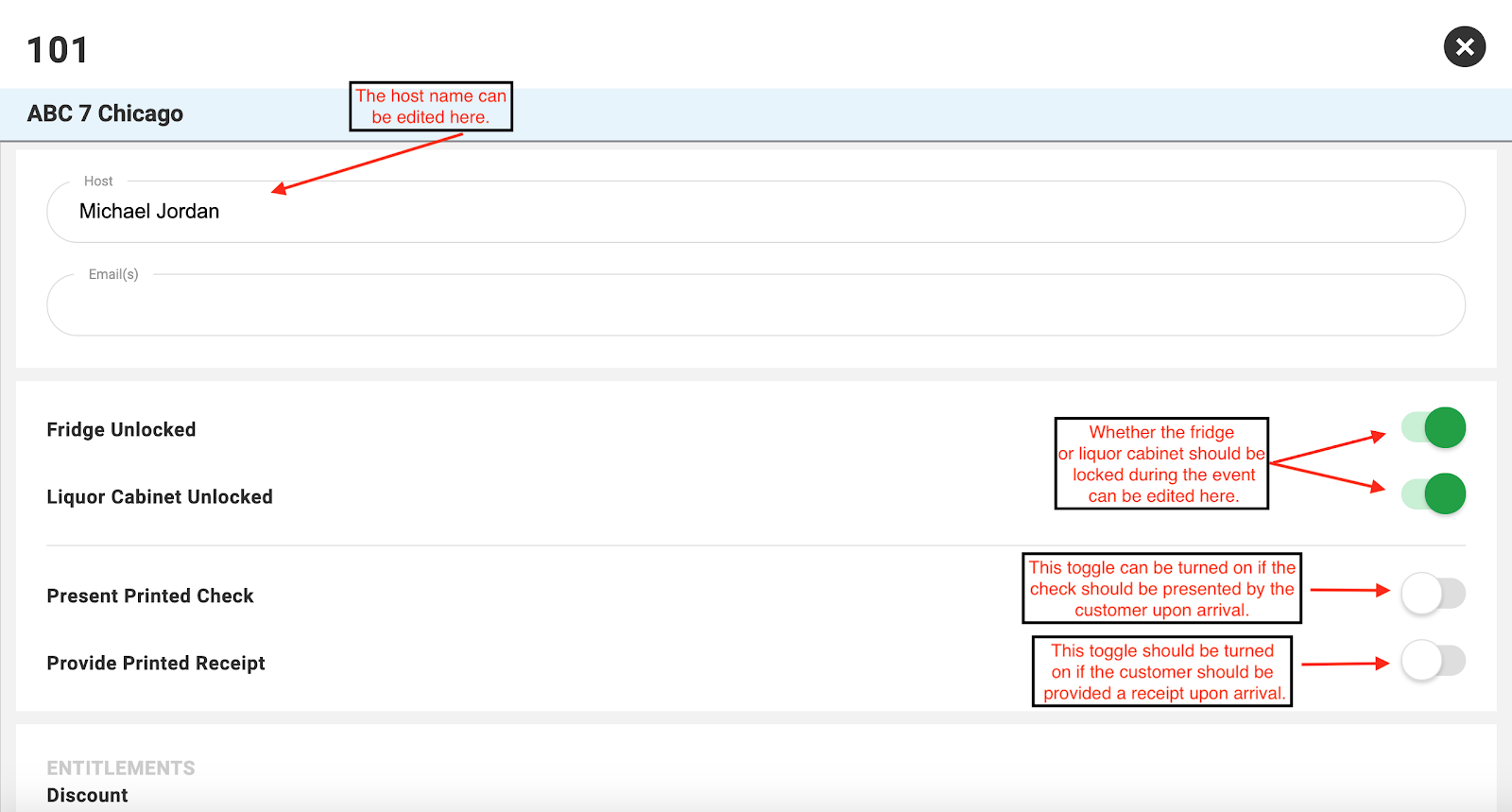
The customer page will open and this is where their preferences for this specific event can be updated.
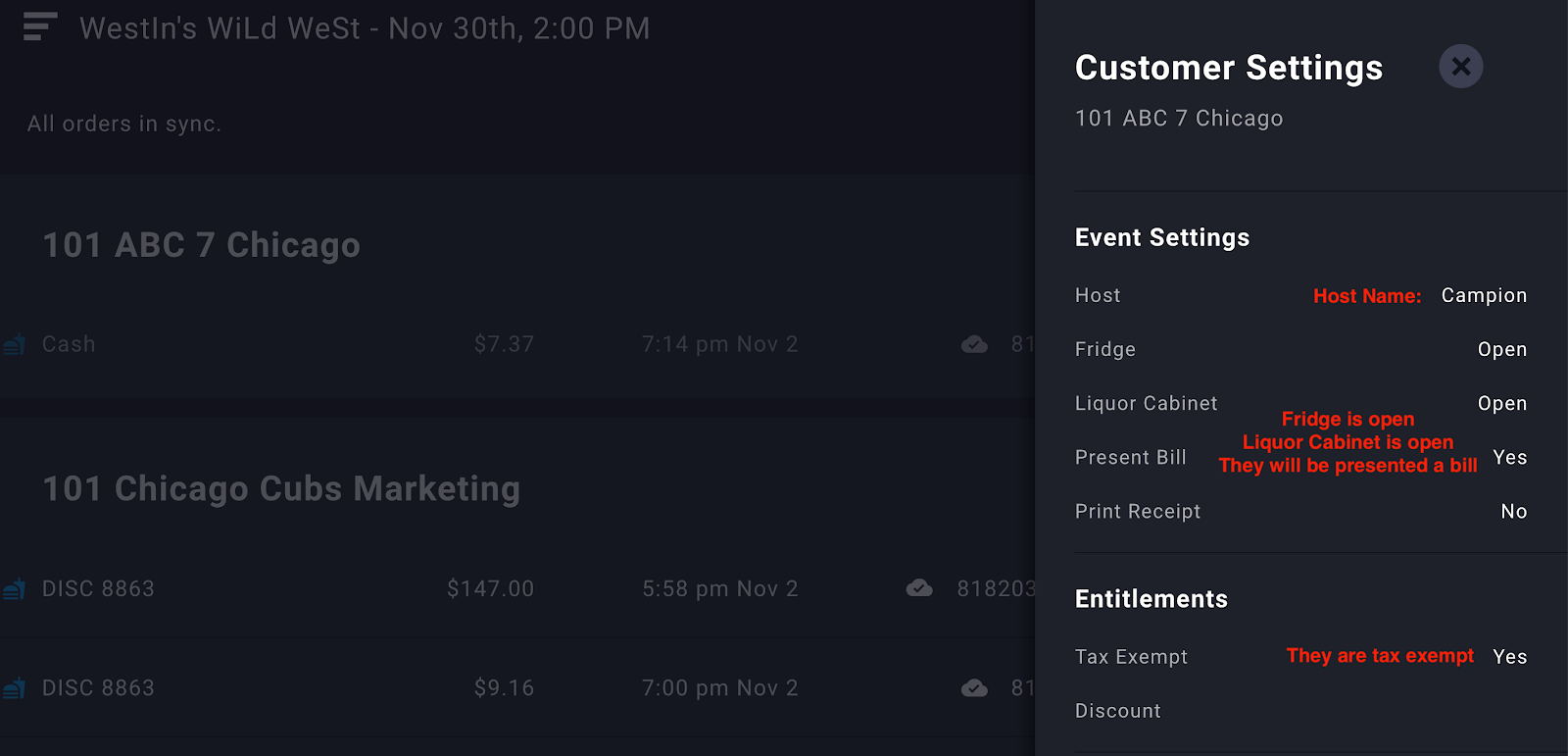
SMA to POS Example:
In the following example, you can see how this information translates from the Suites Manager App into the POS.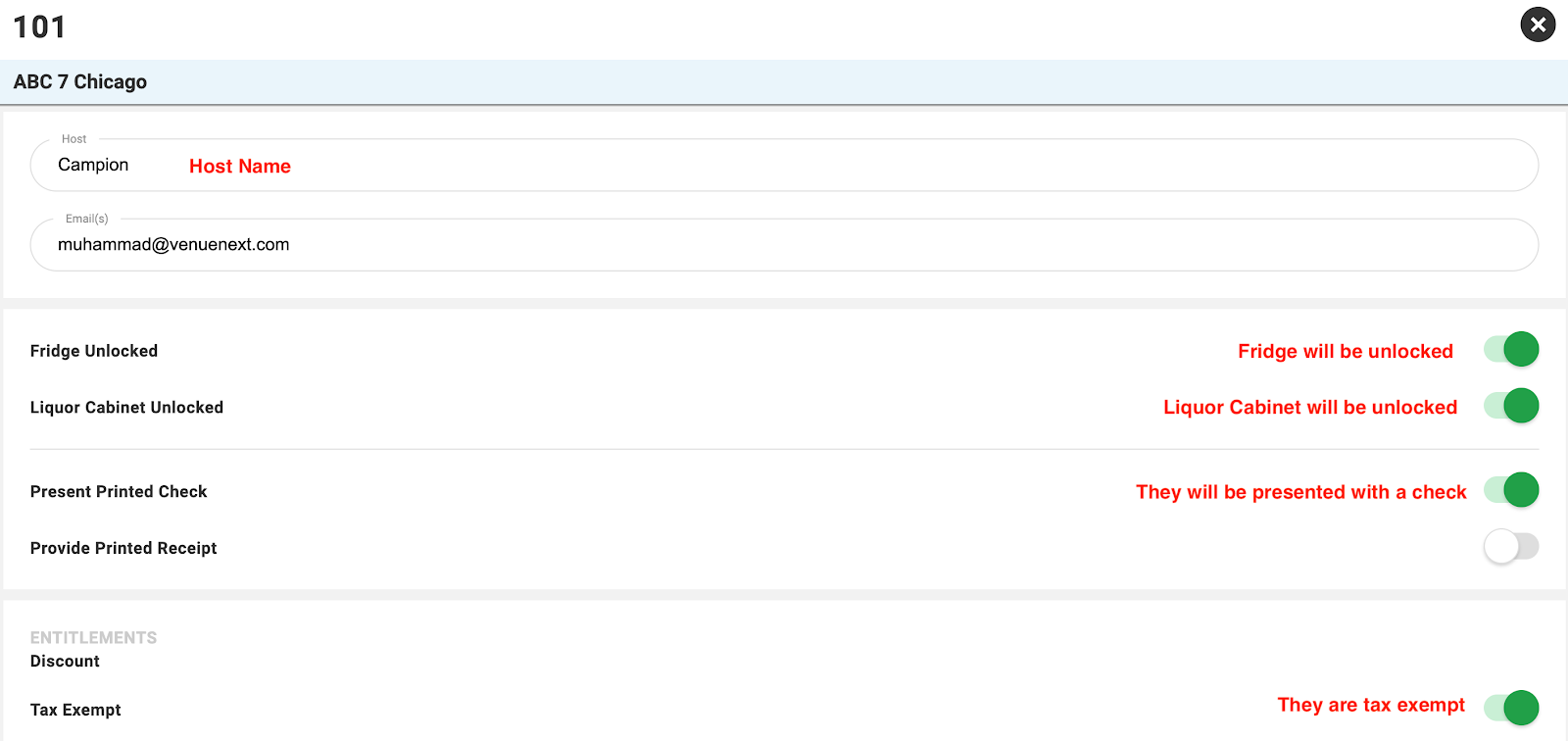
Comments
0 comments
Please sign in to leave a comment.