
Description:
Quickly divide a bill between customers using the built-in Split feature. This article walks through how to split a check evenly, by percentage, or by customer across multiple payment types until the balance is paid in full.
Note
-
Split functionality is not supported when in Offline Mode.
-
When splitting checks using gift cards, the system will not automatically allocate amounts. If a pre-authorization indicates a partial balance (e.g., “You only have $10 on here. Please use another tender for the rest.”), the exact amount to use from each card must be entered manually.
- Add items to your cart and tap “Split”

- Tap Proceed

- Select how to split - Evenly, Percent, or Customer > Tap “Next”

- Select a tender > Tap “Next”

- Tap “Continue to next tender”
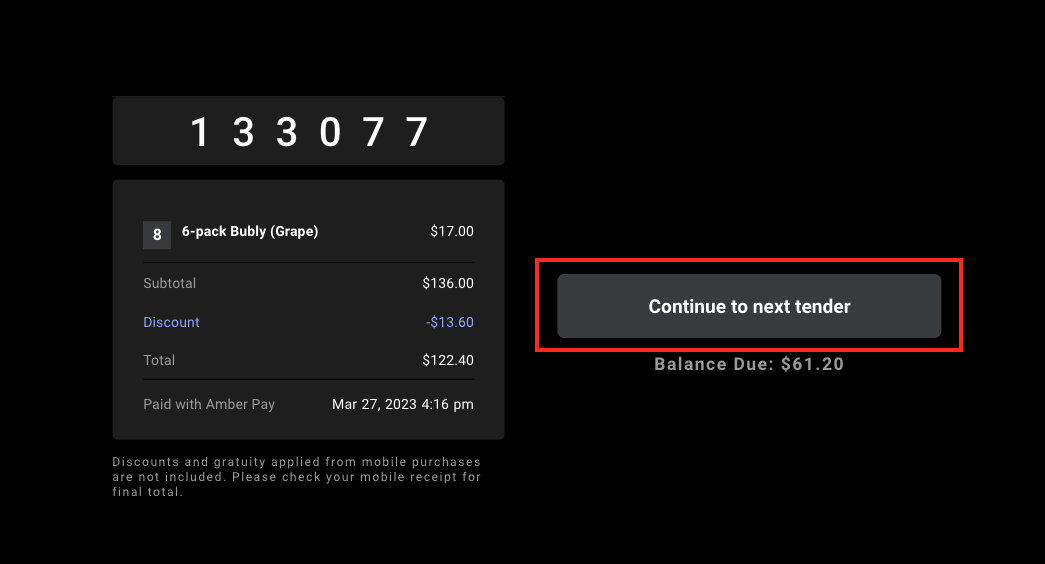
- Repeat steps 3-5
- When Balance Due is $0.00, you will arrive at the final receipt screen after step 4

Comments
0 comments
Please sign in to leave a comment.